
TapSenior Smart Picks: Recommended Apps for Seniors. Technology has transformed the way people live, communicate, learn, and stay healthy. For older adults, smartphones and tablets are no longer just devices for making calls or sending messages. They have become powerful tools that support independence, improve safety, simplify daily routines, and strengthen connections with family and friends.
Today, there are thousands of applications available, but not all are designed with seniors in mind. Small text, complicated interfaces, and unnecessary features can make some apps difficult to use. Fortunately, many companies now create products specifically tailored to older adults, offering larger buttons, voice controls, simple navigation, and accessible designs.
At TapSenior, we believe technology should empower older adults rather than overwhelm them. That is why we created this guide to the best recommended apps for seniors, helping individuals and families discover digital tools that support healthy, active, and independent lifestyles.
Whether you are looking for apps for communication, health management, transportation, medication reminders, grocery delivery, entertainment, or lifelong learning, these smart picks can make everyday life more convenient and enjoyable.
This guide explores some of the most useful applications available today and explains how they can help seniors stay connected, informed, and confident in the digital world.

Why Mobile Apps Matter for Seniors
Many older adults initially hesitate to use smartphones and apps because technology can seem complicated. However, once they become familiar with easy-to-use applications, they often discover significant benefits.
Modern apps can help seniors:
• Maintain communication with family and friends
• Manage medications and medical appointments
• Access transportation services
• Order groceries and prescriptions
• Monitor health and wellness
• Exercise safely at home
• Learn new skills
• Enjoy entertainment
• Increase personal safety
• Support independent living
The right technology can reduce stress, save time, and create greater peace of mind for both seniors and caregivers.
Features That Make an App Senior-Friendly
Before downloading any application, it is important to consider whether it is truly suitable for older adults.
Good apps for seniors often include:
Large Text and Buttons
Clear fonts and larger icons make navigation easier for users with visual challenges.
Simple Interface
Apps should avoid clutter and unnecessary steps.
Voice Commands
Voice assistants allow users to search, call, or perform tasks hands-free.
Easy Account Setup
Complicated registration processes can discourage use.
Accessibility Features
High contrast, adjustable text size, and screen readers improve usability.
Strong Security
Apps should protect personal information and offer safe payment systems.
Best Communication Apps for Seniors
Staying socially connected is one of the most important factors in healthy aging. Communication apps help reduce loneliness and maintain relationships.
Zoom
Video calling has become an essential part of modern life. Zoom allows seniors to:
• Join family gatherings
• Attend virtual classes
• Participate in social clubs
• Speak with healthcare providers
Its large-screen format makes conversations easier to follow.
WhatsApp is popular because it combines messaging, voice calls, and video calls in one application.
Benefits include:
• Free communication
• Group chats with family
• Easy photo sharing
• Voice messaging
Facebook Messenger
Messenger helps seniors remain connected with children, grandchildren, and friends.
Many older adults already use Facebook, making Messenger a natural extension.
FaceTime
For Apple users, FaceTime provides simple video calling with excellent sound and image quality.
Strong social connections contribute to emotional well-being, making communication apps among the most valuable recommended apps for seniors.
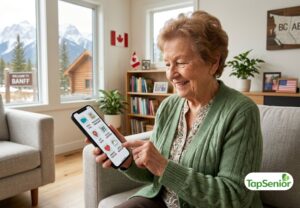
Health and Medication Apps
Managing health becomes increasingly important with age. These applications help seniors monitor wellness and stay organized.
Medisafe
Medication management can be difficult, especially for people taking multiple prescriptions.
Medisafe offers:
• Medication reminders
• Dosage tracking
• Refill alerts
• Caregiver notifications
Missing medications becomes less likely when reminders are automated.
MyChart
Many hospitals and healthcare systems use MyChart to provide patients access to:
• Test results
• Appointment schedules
• Medical records
• Messaging with healthcare providers
This creates better communication between seniors and medical teams.
Apple Health
Apple Health combines information from multiple sources:
• Walking distance
• Heart rate
• Sleep patterns
• Exercise activity
• Health records
Tracking wellness encourages healthier lifestyles.
Blood Pressure Monitor Apps
Several apps work with home blood pressure devices, allowing seniors to monitor important health information.
Keeping records digitally helps physicians identify trends more easily.
Fitness Apps for Healthy Aging
Exercise supports strength, balance, mobility, and mental health.
Many seniors prefer exercising at home using mobile applications.
SilverSneakers GO
This app offers:
• Guided workouts
• Flexibility exercises
• Walking programs
• Balance training
Activities are designed specifically for older adults.
Walking Apps
Walking remains one of the safest exercises for seniors.
Walking apps help users:
• Track steps
• Set goals
• Monitor progress
• Stay motivated
Yoga and Stretching Apps
Gentle stretching can improve:
• Mobility
• Posture
• Flexibility
• Stress reduction
Exercise apps encourage healthy routines while allowing seniors to move at their own pace.

Transportation Apps for Seniors
Transportation is essential for maintaining independence.
Many older adults reduce or stop driving, making transportation apps increasingly valuable.
Ride-Sharing Apps
Apps like Uber and Lyft provide convenient transportation options.
Benefits include:
• Door-to-door service
• Flexible scheduling
• Cashless payments
• Real-time tracking
Senior Transportation Platforms
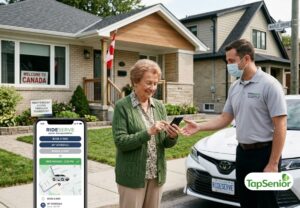
Specialized services such as RideSenior, senior transportation services, and safe rides for older adults focus on accessibility and comfort.
These services often include:
• Medical appointment rides
• Grocery transportation
• Companion support
• Trained drivers
Transportation apps help seniors remain active and engaged in their communities.
Grocery and Food Delivery Apps
Shopping can become difficult due to mobility limitations, weather, or transportation challenges.
Food delivery apps simplify daily living.
Grocery Delivery Apps
Popular services allow seniors to:
• Order groceries online
• Schedule delivery
• Save shopping lists
• Avoid carrying heavy bags
Meal Delivery Services
Prepared meal apps provide healthy food options for seniors who prefer convenience.
Benefits include:
• Balanced nutrition
• Time savings
• Reduced cooking demands
Prescription Delivery Apps
Medication delivery services reduce unnecessary trips to pharmacies.
These applications support safer and more convenient healthcare routines.
Safety and Emergency Apps
Safety remains a top concern for many older adults and family caregivers.
Several apps provide emergency assistance.
Medical Alert Apps
Features may include:
• Emergency call buttons
• GPS location sharing
• Fall detection
• Family notifications
Personal Safety Apps
Some applications allow users to:
• Share locations
• Contact emergency services
• Notify family members quickly
Technology adds an additional layer of protection and reassurance.

Entertainment Apps for Seniors
Entertainment contributes to emotional well-being and cognitive health.
YouTube
YouTube offers:
• Educational videos
• Music
• Exercise classes
• Cooking tutorials
• Historical documentaries
Spotify
Music can improve mood and stimulate memories.
Spotify allows seniors to enjoy:
• Favorite songs
• Playlists
• Relaxation music
Kindle
Reading digitally offers several advantages:
• Adjustable text size
• Lightweight books
• Instant access
• Audiobooks
Puzzle and Brain Games
Brain-training apps support:
• Memory
• Problem-solving
• Attention
• Mental stimulation
Entertainment applications provide fun while promoting lifelong learning.
Learning Apps for Curious Seniors
Retirement creates opportunities for discovering new interests.
Learning apps make education accessible from home.
Duolingo
Language learning keeps the mind active.
Many seniors enjoy studying:
• Spanish
• French
• Italian
• Japanese
Short lessons make learning enjoyable.
Educational Platforms
Online courses allow seniors to explore:
• History
• Photography
• Art
• Technology
• Writing
Learning supports cognitive health and personal growth.
Voice Assistant Apps
Voice technology makes smartphones easier to use.
Popular assistants include:
• Siri
• Google Assistant
• Alexa
Seniors can:
• Make calls
• Send messages
• Set reminders
• Search information
• Control smart home devices
Voice tools improve accessibility for users who prefer hands-free operation.
Financial Apps for Seniors
Managing finances digitally saves time and improves organization.
Financial apps can help with:
• Banking
• Budget tracking
• Bill payments
• Expense monitoring
Security features such as biometric login increase protection.
Seniors should choose trusted applications from recognized institutions.
Apps That Support Independent Living
Independent living remains a goal for many older adults.
The best senior living apps combine convenience, safety, and connection.
These applications help seniors:
• Schedule transportation
• Order groceries
• Manage medications
• Stay socially connected
• Access healthcare
• Enjoy hobbies
Technology becomes a partner in everyday life.
Tips for Seniors Using Apps Safely
Digital safety is important for every user.
Follow these guidelines:
Use Strong Passwords
Avoid simple passwords.
Download from Official Stores
Only use trusted sources.
Be Careful with Scams
Avoid suspicious links and messages.
Update Apps Regularly
Updates improve security.
Ask for Help
Family members or caregivers can assist with setup.
Safe technology habits protect privacy and personal information.
How Families Can Help Seniors Embrace Technology
Family support makes learning easier.
Helpful steps include:
• Demonstrating apps slowly
• Writing simple instructions
• Practicing together
• Choosing easy applications
• Encouraging patience
Confidence grows with regular use.
Many seniors discover that technology is much easier than they expected.

The Future of Technology for Seniors
Technology for older adults continues to improve.
Future innovations may include:
• Better voice assistants
• Smart home support
• Health monitoring tools
• AI companions
• Advanced safety systems
The goal remains the same: helping older adults live independently, safely, and happily.
Why TapSenior Recommends Senior-Friendly Apps
At TapSenior, we understand that aging well involves more than healthcare alone. It includes transportation, social engagement, nutrition, wellness, learning, and convenience.
That is why we highlight recommended apps for seniors that truly improve daily life.
The best applications are not necessarily the most advanced ones. They are the tools that solve real problems, create meaningful connections, and support independence.
With the right smartphone apps, seniors can stay informed, healthy, connected, and confident in an increasingly digital world.
Whether you are an older adult exploring technology for the first time or a caregiver searching for helpful resources, these senior-friendly apps, digital tools for older adults, and independent living solutions can make everyday life easier and more enjoyable.
Technology should never replace human connection, but when used thoughtfully, it can strengthen relationships, support health, and open new possibilities for living well at every age.
How to Choose the Right Apps for Your Lifestyle
One of the biggest mistakes people make when downloading apps is trying to install too many at once. While thousands of applications promise to make life easier, having dozens of unused apps can actually make smartphones feel confusing and cluttered.
Instead, seniors should focus on selecting a small collection of high-quality apps that support their personal lifestyle.
Ask yourself a few simple questions:
- Do I want to stay in touch with family more often?
- Do I need help remembering medications?
- Would transportation services make my life easier?
- Do I want to exercise more regularly?
- Am I interested in learning something new?
- Would grocery or meal delivery save me time?
The answers will help identify which recommended apps for seniors provide the greatest value.
Remember that every senior has different priorities. Someone who enjoys traveling may need navigation and transportation apps, while another person who spends more time at home may benefit from entertainment, health monitoring, and communication apps.
Building a Simple Digital Routine
Learning technology becomes much easier when it becomes part of a daily routine.
Rather than opening different apps randomly throughout the day, seniors can develop habits that make smartphone use feel natural.
For example:
Morning may begin by checking the weather, reviewing medication reminders, and reading the news.
During the afternoon, a transportation app may help schedule a ride to a doctor’s appointment or grocery store.
In the evening, a video call with family followed by relaxing music or an audiobook can become an enjoyable routine.
Using the same apps consistently helps build confidence while reducing frustration.
Over time, many seniors become surprisingly comfortable with smartphones because they use familiar applications every day.
Accessibility Features That Make Smartphones Easier to Use
Many seniors are unaware that modern smartphones include built-in accessibility features designed specifically to improve usability.
These settings can dramatically enhance the overall experience without requiring additional downloads.
Helpful accessibility options include:
Adjustable Text Size
Increasing font size makes reading emails, messages, and websites much more comfortable.
Display Zoom
Icons and buttons become larger and easier to tap accurately.
Voice Control
Users can open apps, send messages, and make phone calls simply by speaking.
Magnifier
The phone camera can function as a digital magnifying glass for reading medication labels, restaurant menus, or printed documents.
Hearing Assistance
Many smartphones now connect directly with compatible hearing aids and provide captioning during phone calls and videos.
Emergency SOS
Most smartphones include built-in emergency features that allow users to quickly contact emergency services and notify family members.
These accessibility settings work perfectly alongside many apps for older adults, creating a much more comfortable user experience.
Apps That Help Seniors Stay Organized
Organization becomes increasingly valuable as daily schedules include medications, appointments, family visits, hobbies, and social activities.
Several productivity apps can simplify planning.
Calendar Apps
Digital calendars help seniors remember:
- Medical appointments
- Family birthdays
- Social events
- Exercise classes
- Volunteer activities
Notifications provide reminders before each event.
Notes Apps
Simple note-taking applications can store:
- Shopping lists
- Important phone numbers
- Medication questions
- Doctor recommendations
- Household reminders
Instead of searching through pieces of paper, everything remains organized in one place.
Reminder Apps
Reminder apps are excellent for recurring tasks such as:
- Taking medication
- Drinking water
- Paying bills
- Walking the dog
- Calling family members
These small reminders reduce stress while supporting independent living.
Weather Apps for Better Daily Planning
Weather can have a significant impact on older adults.
Extreme heat, icy sidewalks, heavy rain, or snow may increase health and safety risks.
Reliable weather apps help seniors plan activities more safely.
Useful features include:
- Hourly forecasts
- Severe weather alerts
- Air quality reports
- UV index
- Rain notifications
Knowing the forecast in advance allows seniors to prepare appropriately before leaving home.
Navigation Apps for Safe Travel
Whether walking, riding with family, or using transportation services, navigation apps make travel much easier.
Modern navigation apps can provide:
- Turn-by-turn directions
- Voice guidance
- Traffic updates
- Alternative routes
- Estimated arrival times
Many seniors also appreciate being able to share their location with trusted family members for additional peace of mind.
These navigation tools work especially well with senior transportation services, helping older adults travel confidently to appointments and community activities.
Shopping Apps Beyond Groceries
While grocery delivery is extremely popular, many shopping apps now provide convenient access to a wide variety of everyday essentials.
Seniors can order:
- Household supplies
- Medical equipment
- Personal care products
- Books
- Clothing
- Gifts for family members
Online shopping reduces the need to carry heavy bags and provides access to products that may not be available locally.
Many apps also allow users to compare prices before making purchases.
Smart Home Apps That Improve Daily Living
Smart home technology is becoming increasingly useful for seniors who wish to remain independent.
Many devices can be controlled directly from a smartphone.
Examples include:
Smart Lighting
Lights can be turned on remotely or scheduled automatically.
This reduces fall risks when moving around at night.
Smart Thermostats
Temperature can be adjusted without walking across the house.
Smart Doorbells
Video doorbells allow seniors to see visitors before opening the door.
Smart Locks
Doors can be locked remotely, providing additional security.
Smart Speakers
Voice-controlled speakers answer questions, play music, provide reminders, and control connected devices.
Together, these technologies create a safer and more comfortable home environment.
Apps That Support Family Caregivers
Technology benefits not only seniors but also the people who care for them.
Family caregivers often use shared apps to coordinate responsibilities.
These applications may include:
- Shared calendars
- Medication tracking
- Appointment scheduling
- Emergency contact information
- Health updates
- Transportation planning
Caregivers who live far away especially appreciate receiving updates that confirm their loved one is staying active and following important routines.
The result is greater peace of mind for everyone involved.
Common Concerns Seniors Have About Using Apps
Many older adults hesitate to embrace technology because of understandable concerns.
Fortunately, most worries can be addressed with a little guidance.
“I’m Not Good with Technology.”
Technology is a skill, not a talent.
Learning one app at a time is often enough to build confidence.
“I’m Afraid I’ll Break Something.”
Modern smartphones are designed to be forgiving.
Most actions can easily be undone.
“I’m Concerned About Online Scams.”
Using trusted applications downloaded from official app stores greatly reduces security risks.
Avoid sharing personal information with unknown contacts or responding to suspicious messages.
“The Screen Is Too Small.”
Tablet versions of many apps provide larger displays that some seniors find easier to use.
Accessibility settings can also enlarge text and icons.
With patience and practice, these concerns usually disappear.
Digital Wellness for Older Adults
Technology should improve quality of life rather than become overwhelming.
Healthy smartphone habits include:
- Taking regular breaks from screens
- Spending time outdoors
- Maintaining face-to-face relationships
- Using apps that encourage physical activity
- Prioritizing meaningful communication over endless scrolling
The best digital tools for seniors support a balanced lifestyle instead of replacing real-world experiences.
Tips for Downloading New Apps
Whenever installing a new application, seniors should follow a few simple steps.
First, read reviews from other users.
Next, confirm that the app comes from a trusted developer.
Review the permissions requested by the application.
Keep the operating system updated for better performance and security.
Finally, avoid downloading multiple similar apps at once.
Starting with one new app each week makes learning much more manageable.
TapSenior’s Smart Picks for Everyday Living
At TapSenior, we recommend focusing on apps that solve everyday challenges rather than downloading every popular application available.
A practical smartphone for seniors might include:
- A communication app for family video calls
- A medication reminder app
- A transportation booking app
- A grocery delivery app
- A weather app
- A calendar app
- A fitness or walking app
- A music or audiobook app
- A trusted health management app
- A safety or emergency assistance app
This combination covers most daily needs while keeping the phone organized and easy to navigate.
As confidence grows, additional apps can be added based on personal interests and hobbies.
Final Thoughts
Technology is no longer just for younger generations. Today, smartphones and tablets have become valuable companions that help older adults remain independent, connected, informed, and active.
The best recommended apps for seniors are those that simplify everyday tasks without adding unnecessary complexity. Whether helping someone remember medications, arrange transportation, communicate with loved ones, monitor their health, or discover new hobbies, the right apps can make a meaningful difference in everyday life.
At TapSenior, we believe technology should always serve people not the other way around. Every app should make life safer, easier, and more enjoyable while preserving independence and dignity.
As digital tools continue to evolve, seniors have more opportunities than ever to benefit from user-friendly innovations that support healthy aging. By choosing trusted senior-friendly apps, exploring practical independent living technology, and embracing smart digital solutions for older adults, seniors can confidently navigate today’s connected world while enjoying greater freedom and peace of mind.
The journey into technology does not require becoming an expert overnight. It begins with one useful app, one simple task, and one successful experience at a time. With curiosity, patience, and the right guidance, every senior can discover how mobile technology enhances daily living and opens the door to a richer, more connected future.
Bài viết liên quan: